What is a content management system? A clear guide
A content management system (CMS) is software for creating, managing, and publishing digital content, especially websites, without writing a single line of code. If you have ever updated a page on WordPress, uploaded a blog post through a dashboard, or scheduled a news article for publication, you have used a CMS. Platforms like WordPress, Adobe Experience Manager, and Drupal each solve the same core problem: they separate the work of writing and editing content from the technical machinery that displays it to visitors. That separation is what makes a CMS so useful for individuals and teams who want control over their digital presence without depending on a developer for every small change.
What is a content management system and how does it work?
A CMS is built on two core components that work together behind the scenes. The first is the Content Management Application (CMA), which is the editing interface you interact with directly. The second is the Content Delivery Application (CDA), which takes your saved content and assembles it into web pages that visitors see. Most people only ever see the CMA side, but the CDA is doing the heavy lifting every time someone loads your site.
The editing interface in most modern CMS platforms uses a WYSIWYG editor, short for “What You See Is What You Get.” This means you format text, insert images, and arrange page elements visually, much like working in a word processor. The CMS stores that content in a database, then pulls it together with your chosen template when a visitor requests a page. The result is a live web page assembled dynamically, not a static file someone had to hand-code.
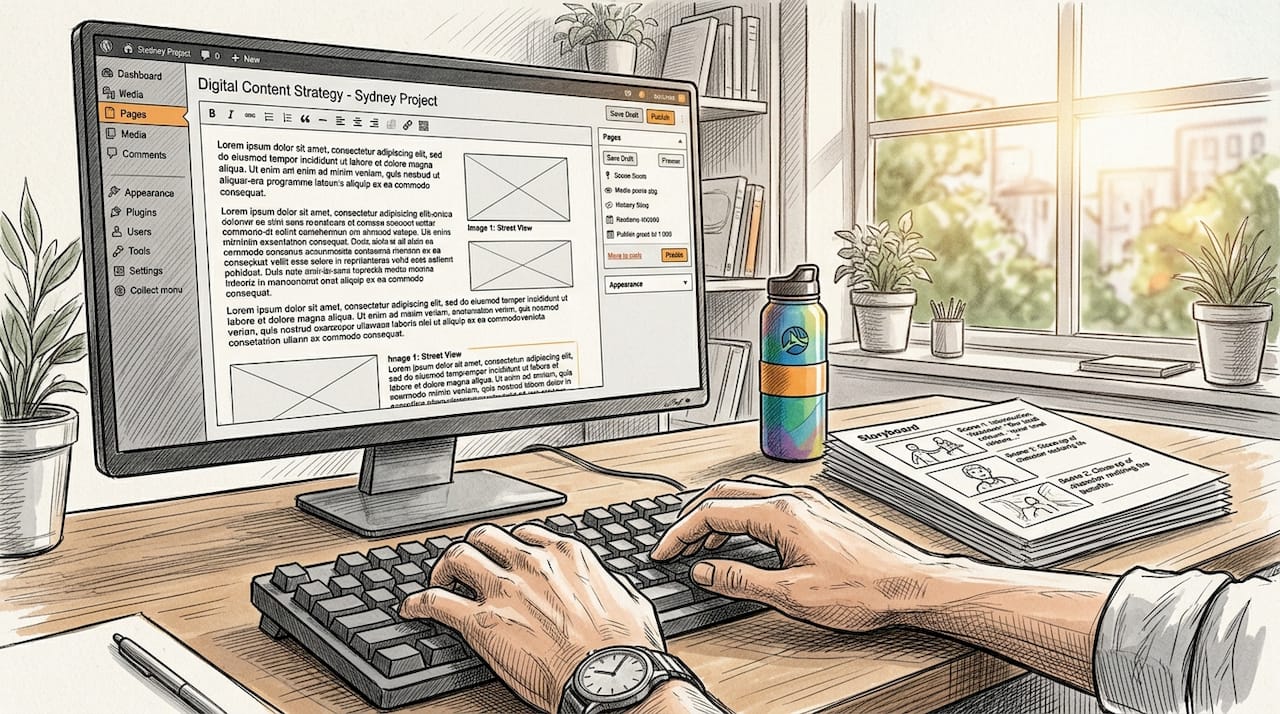
CMS platforms support editorial workflows that go well beyond simple editing. Authors draft content, which routes to a reviewer or editor for approval, and upon sign-off the content can publish immediately or be scheduled for a future date. This removes the chaotic email chains that plague teams managing content manually. For any team with more than one person touching a website, this workflow layer is where a CMS earns its place.
Pro Tip: Set up your approval workflow before you invite contributors. Retrofitting governance onto an active CMS is far harder than building it in from the start.
What are the main types of content management systems?
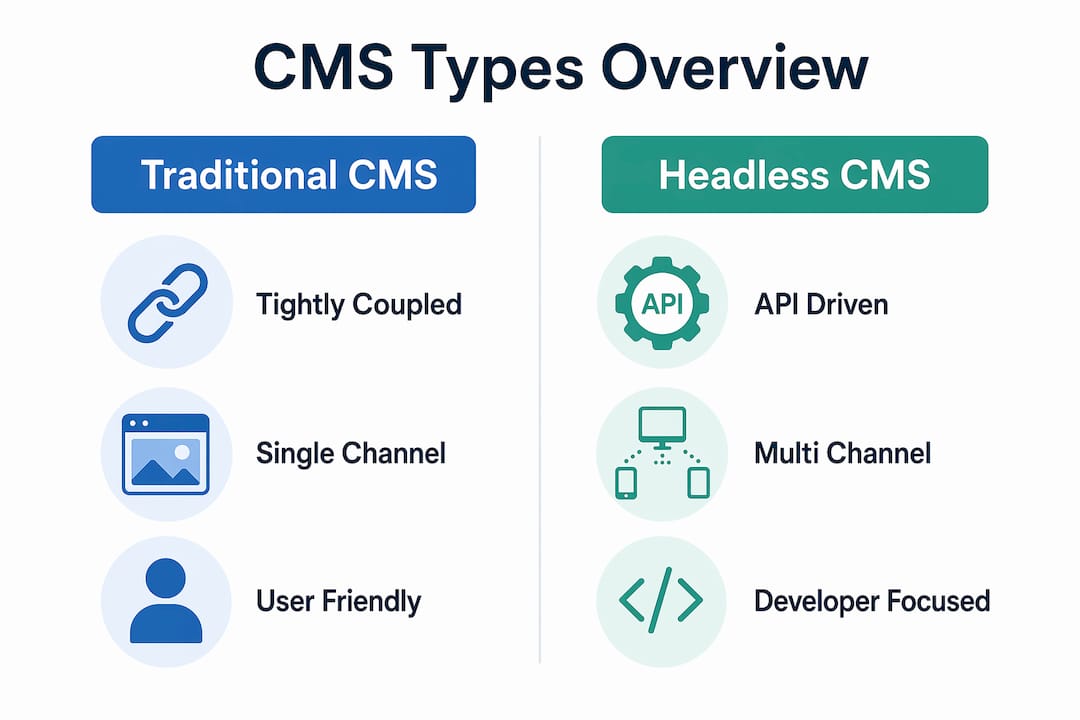
Not every CMS works the same way, and choosing the wrong type for your project creates real problems down the track. The three main architectures are traditional (coupled), headless, and hybrid CMS.
Traditional (coupled) CMS
A traditional CMS keeps content storage and front-end presentation tightly linked. WordPress is the most widely used example. You write content, choose a theme, and the CMS handles everything from database to browser. This approach suits blogs, small business websites, and projects where one team manages one website. The trade-off is that the content is essentially locked to that single presentation layer.
Headless CMS
A headless CMS decouples content storage from presentation, delivering content through APIs to any channel that requests it. The same article can feed your website, your mobile app, a digital kiosk, and a voice assistant simultaneously. Contentful and Strapi are well-known examples. The catch is that headless CMS requires developer involvement upfront to build the front-end experiences that consume those APIs. The long-term payoff is significant flexibility and far less rework when you add new channels later.
Hybrid CMS
A hybrid CMS combines the editing convenience of a traditional CMS with the API-driven delivery of a headless system. Teams get a familiar authoring experience while retaining the option to push content to multiple channels. This is increasingly the direction enterprise platforms are moving.
| Type | Best for | Key benefit | Main limitation |
|---|---|---|---|
| Traditional (coupled) | Small sites, blogs, single-channel projects | Fast setup, easy for non-technical users | Content tied to one presentation layer |
| Headless | Multi-channel publishing, apps, kiosks | Content reuse across any platform via API | Requires developer support for front-end |
| Hybrid | Growing teams needing both ease and flexibility | Familiar editing with multi-channel delivery | More complex to configure than traditional |
Pro Tip: If your project currently runs on one website but you expect to add a mobile app or third-party integrations within two years, start with a headless or hybrid CMS. Migrating later is expensive.
What are the key benefits of using a CMS for individuals and teams?
The practical advantages of a CMS go beyond convenience. They change how teams operate and how quickly a digital project can respond to real-world demands.
-
Faster content updates without developer help. CMS platforms reduce developer bottlenecks, letting marketers and content creators publish independently. A product update that once required a developer ticket and a two-day wait can now go live in minutes.
-
Controlled access through roles and permissions. Roles and permissions prevent unauthorised changes and reduce the risk of brand drift or compliance breaches. A junior writer can draft and submit without ever having the ability to publish directly to a live site.
-
Brand consistency through templates and content models. Structured content types and templates make it far easier to maintain visual and tonal consistency at scale. Without them, every new page becomes a design decision, and inconsistency compounds quickly.
-
Multi-channel content delivery. A well-configured CMS, particularly a headless or hybrid one, lets you write content once and distribute it across your website, app, email, and social channels. This is one of the most underrated time savings in digital content work.
-
Better collaboration between content creators, marketers, and developers. Structured workflows mean each role has a defined lane. Developers configure the system, marketers manage content, and editors govern quality. Everyone works in the same platform without stepping on each other.
For teams new to digital platforms, the collaboration benefit alone justifies the investment. Managing a website through shared folder access or email attachments is not a content strategy. It is a liability.
Which platforms are the best content management systems to consider?
Popular CMS platforms include WordPress, Drupal, Adobe Experience Manager, Sitecore, and Contentful, each targeting a different scale and use case. Knowing what each one is built for saves you from choosing a platform that will either overwhelm your team or outgrow your project within a year.
-
WordPress powers a significant share of the web and suits small to mid-sized websites, blogs, and content-heavy projects. Its plugin ecosystem is vast, and non-technical users can manage it confidently after minimal training.
-
Drupal is an open-source platform favoured by government agencies, universities, and organisations with complex content structures. It offers more granular control than WordPress but demands more technical knowledge to configure and maintain.
-
Adobe Experience Manager (AEM) is an enterprise-grade platform designed for large organisations managing content across multiple brands, regions, and languages. It integrates tightly with the broader Adobe suite, including Adobe Analytics and Adobe Target.
-
Contentful is a cloud-native headless CMS built for teams that need to deliver content to multiple digital channels simultaneously. It is API-first by design, making it a natural fit for development teams building custom front-end experiences.
-
Strapi is an open-source headless CMS that gives development teams full control over their content API. It suits projects where customisation and self-hosting are priorities.
Choosing between these platforms comes down to three questions: How technical is your team? How many channels do you need to publish to? And how much do you expect your content needs to grow? For a deeper look at how these platforms fit into broader web solution types, the context of your overall digital architecture matters as much as the CMS itself.
Key takeaways
A CMS is the most direct way for non-technical teams to take ownership of their digital content without creating a permanent dependency on developers.
| Point | Details |
|---|---|
| CMS definition | Software that separates content authoring from presentation, enabling non-technical users to manage websites. |
| Two core components | The CMA handles editing; the CDA assembles and delivers content to visitors dynamically. |
| Three main types | Traditional suits single-channel sites; headless suits multi-channel delivery; hybrid suits growing teams. |
| Key team benefit | Roles, permissions, and workflows prevent errors and keep brand consistency without slowing content output. |
| Platform choice | Match the CMS to your team’s technical capacity, channel needs, and expected growth, not just current size. |
Why most teams pick the wrong CMS (and how to avoid it)
I have seen this pattern more times than I can count. A small team picks WordPress because it is familiar, builds out a solid website, and then eighteen months later needs a mobile app. Suddenly they are looking at a full migration because the content is locked inside a coupled architecture that was never designed for multi-channel delivery. The CMS was not the wrong choice for day one. It was the wrong choice for day five hundred.
The mistake is treating a CMS decision as a short-term fix rather than a structural commitment. Content models, user roles, and editorial workflows are not features you configure later when things get complicated. They are the foundation. Teams that skip governance setup because they are in a hurry end up with a content database that nobody fully understands and a publishing process that relies on one person who knows where everything lives.
My honest advice: before you evaluate a single platform, write down your content types, your team roles, and the channels you expect to publish to in two years. That document will tell you more about which CMS you need than any feature comparison chart. If you are building something that needs to last, look at custom software requirements before you commit to an off-the-shelf platform. The upfront thinking pays for itself.
The other thing I would push back on is the assumption that a simpler CMS is always better for beginners. A well-configured headless CMS with clear content models is often easier to use day-to-day than a bloated WordPress installation with forty plugins fighting each other. Simplicity is in the setup, not the label on the tin.
— Liam
How Pixeldev can help you build the right CMS for your project
Choosing a CMS is one decision. Building a system around it that actually holds up under real-world use is another. Pixeldev works with businesses and teams to design and maintain custom web platforms that are built to last, not just to launch. Whether you need a bespoke CMS integration, a headless architecture configured for multi-channel delivery, or an existing platform that needs proper governance and workflow design, the Pixeldev team brings senior-level experience to every stage of the project. If you are weighing your options, their web solutions overview is a practical starting point for understanding what kind of platform your project actually needs.
FAQ
What is the simplest CMS definition?
A CMS is software that lets you create, edit, and publish digital content through a visual interface, without writing code. It stores content in a database and assembles web pages dynamically for visitors.
How does a content management system work technically?
A CMS uses two components: a Content Management Application (CMA) for editing and a Content Delivery Application (CDA) for publishing. The CDA pulls content from a database and combines it with templates to generate pages in real time.
What is the difference between a traditional and headless CMS?
A traditional CMS links content and presentation together, which suits single-channel websites. A headless CMS stores content separately and delivers it via APIs, making it suitable for publishing to websites, apps, and other channels from one source.
Which CMS is best for a small team with no technical background?
WordPress is the most widely used option for non-technical teams, offering a large plugin library and a straightforward editing interface. For teams expecting to grow quickly or publish across multiple channels, a hybrid CMS may be worth the slightly steeper setup.
Do you need a developer to use a CMS?
Most CMS platforms are designed so that content creators and marketers can work independently once the system is configured. Initial setup, custom integrations, and headless architectures do require developer involvement, but day-to-day content management does not.