Managing application development workflow best practices is one of those areas where even experienced teams get stuck. Workflows break down not from lack of talent but from unclear expectations, misaligned priorities, and communication gaps that compound sprint after sprint. The result is missed deadlines, quality issues, and burnt-out developers who feel like they’re constantly fighting the process rather than building the product. This article covers the practices that actually move the needle on delivery speed, code quality, and team collaboration, grounded in both technical discipline and project management reality.
Table of Contents
- Key takeaways
- 1. Criteria for evaluating workflow best practices
- 2. Implement an agile sprint cadence
- 3. Define and monitor SLOs, SLIs, and error budgets
- 4. Choose technologies aligned with your team and project
- 5. Build collaboration through documentation and communication
- 6. Comparison of workflow best practices
- My take on what actually separates good teams from great ones
- How Pixeldev approaches workflow-driven software delivery
- FAQ
Key takeaways
| Point | Details |
|---|---|
| Evaluate before adopting | Assess each practice against your team’s actual workflow before committing to process changes. |
| Sprint cadence drives predictability | A consistent two-week sprint rhythm gives teams focus and reduces planning overhead. |
| Error budgets remove politics | SLOs and error budgets create data-driven rules for when to ship features versus fix reliability issues. |
| Documentation prevents silos | Accessible documentation is the difference between a smooth handoff and a week of archaeology. |
| Compare before combining | Not every practice suits every team. Use the comparison table in this article to match practices to your context. |
1. Criteria for evaluating workflow best practices
Before adopting any practice, you need a framework to judge whether it actually fits your context. Copying a workflow from a large tech company into a five-person team often produces bureaucracy, not results.
The criteria below are worth applying to every practice in this article before you roll it out.
- Workflow clarity and repeatability: Does the practice reduce ambiguity about who does what and when? Good practices create repeatable steps, not one-off heroics.
- Collaboration facilitation: Does it make it easier for developers, testers, and project managers to work together without constant context-switching or status requests?
- Code quality and integration: Does it create clear checkpoints for quality? Practices that skip integration discipline tend to accumulate technical debt faster than teams realise.
- Feedback and iteration speed: Does the practice shorten the time between writing code and learning whether it works for users? Slow feedback loops are expensive.
- Scalability and adaptability: Will this practice hold up as the team grows or the project complexity increases? Some practices work fine at ten people and collapse at thirty.
- Measurability: Can you tell whether the practice is working? If you cannot measure the outcome, you cannot improve it.
Pro Tip: Run a quick audit of your current software development process before adding new practices. Map every handoff point and note where work stalls. The bottlenecks you find will tell you which practices to prioritise first.
2. Implement an agile sprint cadence
Agile application practices live or die by the quality of their sprint cadence. A sprint gives the team a bounded period with a clear goal and a defined output. Without that boundary, work bleeds into indefinite “in progress” states that are impossible to forecast or manage.
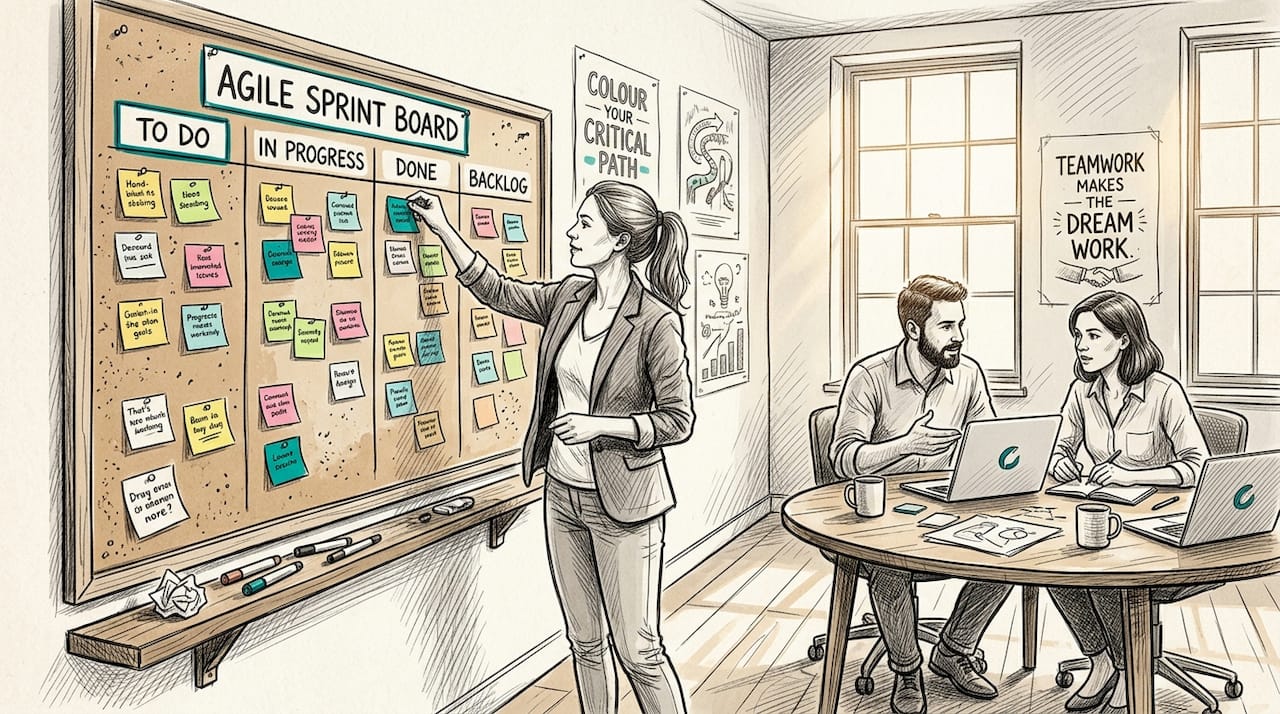
The two-week sprint is the industry standard for good reason. It is short enough to maintain urgency and long enough to complete meaningful work. One-week sprints suit mature teams with well-refined backlogs. Four-week sprints suit projects with high uncertainty at the planning stage but tend to delay feedback too long for most teams.
Here is how to run sprint cadence effectively:
- Sprint planning with two clear questions. Atlassian recommends teams answer “What work can get done?” and “How will it get done?” before committing. Skip either question and you end up with over-commitment or vague delivery expectations.
- Backlog refinement before planning day. Keep two sprints’ worth of refined user stories ready at all times. Teams that arrive at sprint planning with unrefined backlog items waste the meeting thrashing through requirements.
- Daily stand-ups for surfacing blockers. Keep them to fifteen minutes. The purpose is not status reporting. It is identifying what is blocking forward progress so someone can remove it today, not next week.
- Sprint reviews for honest feedback. Show working software to stakeholders every sprint. This is where you catch misaligned expectations early, before they become costly rework.
- Retrospectives for process improvement. This is the most neglected ritual. Teams skip retrospectives when busy and then wonder why the same problems recur every quarter.
Pro Tip: If your sprint reviews consistently feel awkward or produce no useful feedback, the problem is usually that stakeholders are not seeing working software. Demos of mock-ups or half-finished features do not generate the same calibre of response as a live, clickable build.
Sprint cadence is what maintains momentum and transparency across agile teams and directly determines whether they can deliver consistently over time.
3. Define and monitor SLOs, SLIs, and error budgets
Most development project management conversations focus on features and deadlines. Far fewer focus on reliability as a measurable, managed constraint. That gap is where production incidents and user trust problems come from.
Service Level Indicators (SLIs) are the actual measurements: request success rate, latency, availability. Service Level Objectives (SLOs) are the targets you set for those indicators. Error budgets are what remain when you subtract actual performance from your target.
| Reliability target | Allowed downtime per month | Suited for |
|---|---|---|
| 99.5% | 3.6 hours | Internal tools, low-criticality apps |
| 99.9% | 43 minutes | Most customer-facing applications |
| 99.95% | 21.6 minutes | High-traffic, revenue-critical platforms |
A 99.9% SLO allows approximately 43 minutes of downtime per month. That is a specific, agreed number. The moment the team can see reliability in quantitative terms, conversations about “how stable is stable enough?” become much shorter.
The real power comes from how you use the error budget. When your budget is healthy, the team ships features at full pace. When it is running low, error budget policies automatically trigger feature freezes and reliability-focused work. The decision does not come down to a negotiation between the engineering lead and the product manager. The data makes it for you.
Set your SLO targets based on user expectations rather than on what your system currently achieves. If users expect 99.9% availability, targeting 99.95% means you are burning engineering effort on reliability headroom no one needs.
Watch your burn rate, not just whether you have breached your budget. A burn rate of 10 means you are consuming your error budget ten times faster than sustainable. Alerting at the burn rate level catches incidents before they become crises, giving you time to act rather than just react.
4. Choose technologies aligned with your team and project
Technology selection shapes every downstream decision in your development project management process. Choose a framework your team does not know well and you pay for it in onboarding time, inconsistent patterns, and turnover risk.
When evaluating a stack, consider these criteria:
- Framework maturity and community support: A framework with an active community means you have access to documentation, third-party libraries, and developer candidates. Niche or unmaintained frameworks create long-term maintenance burdens.
- Alignment with project complexity: A content-heavy marketing site and a real-time financial data platform have fundamentally different needs. Selecting technologies aligned with your needs supports both maintainability and workflow efficiency.
- Developer familiarity: Switching stacks mid-project is one of the most disruptive decisions a team can make. Where reasonable, leverage what your team already knows well.
- Stability vs. novelty: New frameworks offer exciting capabilities but can introduce instability, sparse documentation, and hiring challenges. Weigh the benefit against the risk, particularly for long-lived systems.
- Business alignment: The technology choice should reflect the timeline, budget, and longevity expectations of the project. Building a throwaway prototype in a production-grade framework wastes time. Building a ten-year platform on an unstable experiment wastes money.
For teams working on enterprise-scale projects, defining custom software requirements before evaluating frameworks will make the selection criteria much clearer and prevent expensive pivots later.
5. Build collaboration through documentation and communication
Code quality does not exist in isolation. The best workflow strategies recognise that how a team communicates around code is as important as the code itself. Poorly documented systems create knowledge silos where one person understands a module and everyone else avoids touching it.
Accessible, consistent documentation improves team alignment and reduces the friction at every handoff point. The goal is not exhaustive documentation of every function. It is ensuring that any team member can pick up where another left off without a thirty-minute briefing call.
Practical habits that make a measurable difference include:
- Defined communication channels by purpose: Use synchronous channels (video calls, stand-ups) for decisions that require live input. Use asynchronous tools (tickets, wikis, pull request comments) for information that does not require an immediate response. Blurring these lines leads to meetings that should have been comments and decisions that should have been meetings.
- Clear ownership of modules and features: When everyone owns something, no one does. Assign clear ownership so responsibility is unambiguous without creating bottlenecks.
- Regular retrospectives with documented outcomes: Retrospective findings that live only in people’s memories are not retrospective findings at all.
- Architecture decision records (ADRs): Document why you made significant technical decisions, not just what you decided. Six months later, the “why” is what people actually need.
Avoid the common enterprise trap of building documentation portals no one updates. A short, current README beats a thousand-page wiki that was last edited eighteen months ago.
6. Comparison of workflow best practices
Use this table to match each practice to your team’s situation before committing to a full adoption.
| Practice | Key benefit | Main challenge | Best suited for |
|---|---|---|---|
| Agile sprint cadence | Predictable delivery rhythm | Requires backlog discipline to work | Most teams, any size |
| SLO and error budget management | Data-driven reliability decisions | Needs organisational buy-in and policy agreement | Teams with production services |
| Technology selection framework | Reduces long-term maintenance debt | Upfront analysis time investment | New projects or major refactors |
| Documentation and communication standards | Reduces knowledge silos and handoff friction | Culture and consistency discipline required | Teams of four or more; remote or distributed |
Pro Tip: The most effective teams combine all four practices, but they phase the rollout. Start with sprint cadence to create workflow structure, then add documentation standards, then layer in SLO management once the team is shipping consistently.
My take on what actually separates good teams from great ones
I’ve spent a long time watching software teams adopt best practices and produce wildly different results from the same playbook. Here is what I’ve noticed.
The teams that get genuine value from error budgets are not the ones with the best monitoring dashboards. They are the ones where engineering and product have sat down, agreed on policies, and made the metrics meaningful before an incident forces the conversation. Organisational buy-in is the hard part. The technical setup is relatively straightforward.
Sprint planning is where I see project managers make the most preventable mistakes. They treat it as a scheduling exercise rather than a commitment exercise. The result is backlogs full of half-estimated stories and sprint reviews that are always explaining why X did not get finished. What I’ve learned is that a sprint backlog built on genuine team commitment, even if it is smaller, outperforms an optimistic one every single time.
Documentation is the one practice that pays off on a delay. Teams resist it in the short term because it feels slow. Two years in, when a senior developer leaves or the codebase needs to be handed to a new team, the teams that invested in documentation move at triple the speed of those that did not.
My strongest advice: resist the urge to adopt every practice at once. Choose one, embed it until it is habit, then add the next. Workflows that grow organically out of real problems stick. Workflows imposed wholesale from a conference talk usually do not.
— Liam
How Pixeldev approaches workflow-driven software delivery
If the practices in this article resonate with the kind of work your team is doing, Com has been applying these principles across real-world projects for years. Pixeldev builds custom web platforms for clients who need software that performs reliably over years, not just months.
From sprint-structured delivery to thoughtful technology selection and thorough documentation practices, Pixeldev’s development process is built around the same principles covered here. Whether you are starting a new platform, rethinking an existing workflow, or looking for ongoing maintenance support, explore Pixeldev’s services to see how a small, senior team delivers durable software. You can also browse real project examples to see these workflows in practice.
FAQ
What is the best sprint length for most development teams?
Two-week sprints are the most widely used cadence in professional software development, balancing feedback speed with meaningful work completion.
How does an error budget work in practice?
An error budget is the difference between your SLO target and perfect reliability. When the budget runs low, agreed policies shift the team from feature work to reliability fixes automatically, without requiring a management decision.
How often should development teams hold retrospectives?
Retrospectives should happen at the end of every sprint. Teams that skip them under pressure lose the feedback loop that prevents recurring process problems.
What makes documentation effective in software teams?
Effective documentation is current, accessible, and focused on decisions and context rather than exhaustive code commentary. Short and maintained beats long and stale every time.
When should a team update its technology stack?
Re-evaluate your stack at major project milestones or when maintenance burden rises noticeably. Align any change with team expertise and long-term project requirements before committing.